

Create a Personalised Manifestation Board Wallpaper for Your Smartphone and Desktop: Easy Step-by-Step Guide
A vision board is a powerful visual tool that can be used to help you create real-life results as you strive towards your goals. It’s made up of a collection of images, words, and phrases that represent dreams and visions of the future.
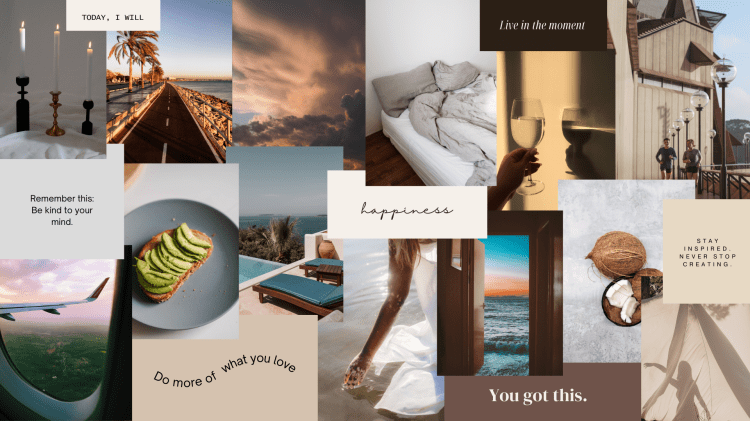
Seeing your aspirations laid out visually can actually help you achieve your goals faster! It acts as a visual reminder of what you want to achieve, keeping your focus sharp and your motivation high.
Imagine waking up each day and seeing a vivid representation of your dreams. This daily inspiration can energise you and ignite your passion. By consistently focusing on your vision board, you start to believe in your goals more strongly and begin taking actions that align with achieving them. It’s an exciting way to manifest your dreams into reality, turning your aspirations into tangible results.
How to Make a Virtual Vision Board
This is one of the easiest ways to create your own personalised virtual vision board wallpaper for your devices!
1. Sign up for Canva

Canva is your go-to for creating cool graphics and designs effortlessly. It’s packed with templates, tools, and a huge library of images and fonts, perfect for making everything from social media posts to presentations and vision boards.

Sign up for free at https://www.canva.com/
2. Go to “Create a design”
Once clicked, you can search for either “Desktop Wallpaper” or “Phone Wallpaper“. From here you’ll be brought to a page where you can begin creating your design!
3. Create your vision board
There are a ton of helpful resources you can use on this page to begin. You can explore the “Design” feature to find easy drag-and-drop templates for an aesthetic layout, or you can experiment and make your own.

You can search for images and graphics to add to your vision board using the “Elements” feature. If you scroll down in this section you’ll find “frames” which are cool ways to display your pictures.
You can also surf the web for your own images and download them using the “Upload” button.
Make it your own! Play around with the different features, experimenting with different text, colours… whatever feels most aligned to you.
4. Save your vision board
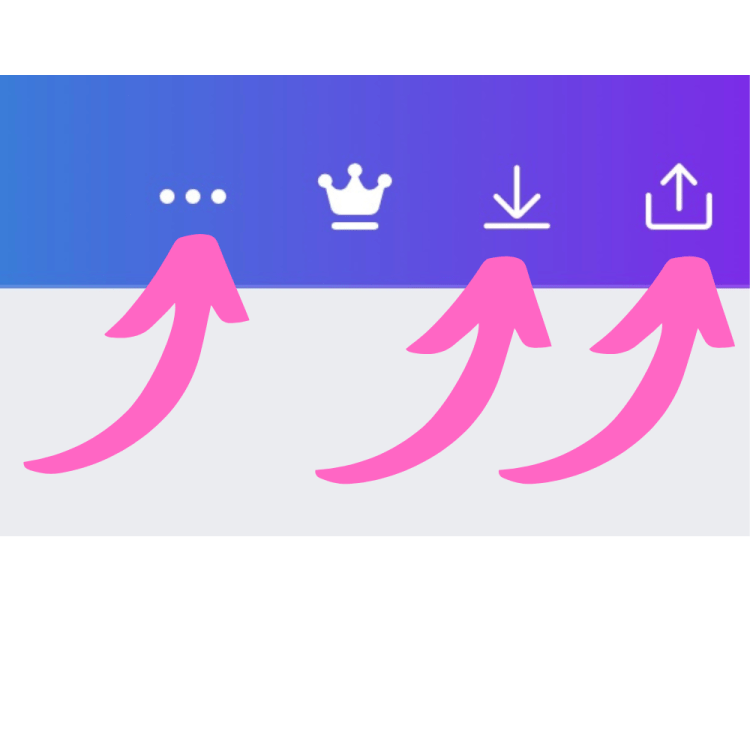

Download your vision board by clicking the “Share” button in the top right hand of the screen. If you’re on a mobile device, it will either look like a box with an arrow pointing out of the top, or three vertical dots.
From here, you can save your new virtual vision board as your wallpaper! If the size doesn’t quite fit your screen, don’t worry. You can hop back on your design, mass-select everything on the page, and shrink/move it to adjust the layout.
Turning your dreams into reality is about believing in yourself and taking consistent action.
By focusing your thoughts and efforts on what you truly desire, you empower yourself to make it happen. Stay resilient, celebrate progress, and trust that every step forward brings you closer to achieving your dreams. With patience and determination, you have the power to shape your future.

Mindset motivation, straight to your inbox.

If you enjoyed this article, you might also like:

Everything Is Energy – Exploring The Science Behind “Like Attracts Like”
Everything is energy – including you. When you align your thoughts and emotions with what you truly want, you create resonance. This blog breaks down the science behind manifestation and shows how tuning your inner frequency can shape your outer reality in powerful, practical ways.

Discover more from Soul Space
Subscribe to get the latest posts sent to your email.
 Soul Space
One thought on “How To Make A Virtual Vision Board”